Knowing exactly where your package is and when it will arrive eliminates the uncertainty that comes with online shopping. For global professionals managing busy schedules across time zones, mastering Amazon order tracking ensures you’re available to receive important deliveries without wasting time waiting.
Amazon processes millions of packages daily through its sophisticated logistics network. Whether you’re expecting business supplies, personal items, or gifts, understanding how to track your Amazon order gives you complete visibility into the delivery process. This guide walks you through every tracking method available, explains what different status updates mean, and shows you what to do when something goes wrong.
How to Track Your Amazon Order Step by Step
Tracking your Amazon package requires accessing your account through the website or mobile app. The process takes just a few moments and provides detailed real-time information about your delivery status.
Using the Amazon Website
Start by signing into your Amazon account at amazon.com. Once logged in, locate the “Returns & Orders” link in the top right corner of the page. This takes you to the Your Orders section, where you’ll see a complete list of recent purchases.
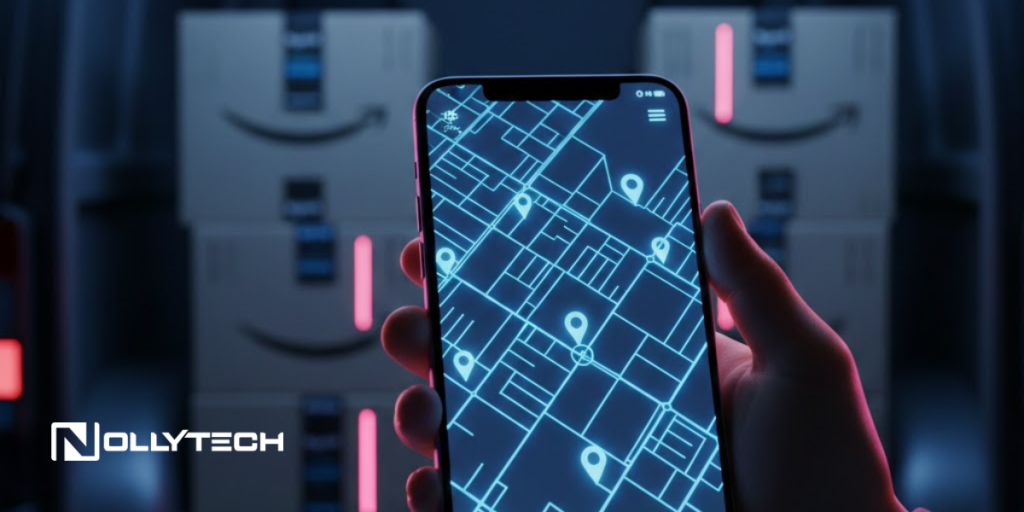
Find the specific order you want to track and click the “Track Package” button next to it. This opens a detailed tracking page showing your package’s current location, delivery estimate, and every checkpoint it has passed through. On the day of delivery, you may also see a live map showing your driver’s real-time position and how many stops remain before reaching you.
The tracking page displays several key pieces of information. The estimated delivery date tells you when Amazon expects the package to arrive. The current status indicates whether the item is still being prepared, in transit, out for delivery, or already delivered. Past events show where your package has been scanned along its journey.
Using the Amazon Mobile App
The Amazon mobile app provides the most convenient tracking experience, especially when you’re away from your computer. Open the app and tap the menu icon, then select “Your Orders.” Scroll to find your order and tap “Track Package” to view the same detailed information available on the website.
The mobile app offers one significant advantage: push notifications. You’ll receive alerts when your package ships, when it’s out for delivery, and when it arrives. These real-time updates keep you informed without needing to manually check the tracking page repeatedly.
Understanding Amazon Tracking Numbers
Amazon uses different tracking number formats depending on which carrier handles your delivery. Recognizing these formats helps you understand who’s delivering your package and how to track it through alternative methods if needed.
TBA Tracking Numbers
Tracking numbers starting with TBA, TBM, or TBC indicate Amazon Logistics is handling the delivery. Amazon Logistics uses its own network of delivery drivers and vans to complete final-mile deliveries, particularly in urban and suburban areas.
TBA tracking numbers can only be tracked through Amazon’s website or app. Unlike packages shipped through major carriers, you cannot track these shipments on third-party tracking sites. This is because Amazon made tracking details private in April 2021 to enhance security and prevent unauthorized access to customer shipment information.
Carrier-Specific Tracking Numbers
Packages shipped through USPS, UPS, FedEx, or other carriers have different tracking number formats. USPS tracking numbers typically contain 20-22 digits. UPS tracking numbers usually start with 1Z and contain 18 characters. FedEx tracking numbers are 12 digits for Express and Ground shipments.
When Amazon uses these carriers, you can track packages both through Amazon’s tracking page and directly on the carrier’s website. This provides additional detail, especially for international shipments that may pass through multiple handling facilities.
What Amazon Tracking Statuses Mean
Amazon’s tracking system uses specific terminology to describe where your package is in the delivery process. Understanding these status messages helps you know exactly what’s happening with your order.
Order Received and Processing
When your order status shows “Order Received” or “Not Yet Shipped,” Amazon has acknowledged your purchase but hasn’t yet started preparing it for delivery. This is normal for newly placed orders, items that need to ship from distant warehouses, or products with longer processing times.
During this phase, you may see an estimated delivery date that seems far off. Once the item ships, this estimate often becomes more specific. Items fulfilled through Fulfillment by Amazon typically ship faster than products shipped directly by third-party sellers.
Shipped and In Transit
The “Shipped” status means your package has left an Amazon fulfillment center and is on its way. You’ll receive a tracking number at this point, and the tracking page will show updates as the package moves through sorting facilities and transportation hubs.
“In Transit” indicates the package is moving between locations. During this phase, you may see multiple scans as the package passes through various facilities. It’s normal for tracking to pause for a day or two between scans, especially during weekends or when packages are in transit between major regional hubs.
Out for Delivery
When your package shows “Out for Delivery,” it’s on the delivery vehicle and scheduled to arrive that day. For Amazon Logistics deliveries, you may see a live map showing how many stops the driver will make before reaching your location.
Deliveries typically occur between 6 AM and 10 PM local time. If your package shows out for delivery but hasn’t arrived by the end of the window, it may be reattempted the following day. Traffic, weather, and high package volumes can cause delays even after a package leaves for delivery.
Delivered
The “Delivered” status confirms your package has been left at your delivery location. Amazon drivers often photograph the delivery location, and this photo appears in your tracking information so you can see exactly where the package was placed.
Check common delivery spots including your front porch, side door, garage, mailbox, or any secure location around your home. Amazon drivers may leave packages in areas that aren’t immediately visible to protect them from theft or weather.
Amazon Map Tracking Features
Amazon Map Tracking provides real-time visibility into your driver’s location on delivery day. This feature works for packages delivered by Amazon Logistics and shows you exactly how close your package is to arrival.
How Map Tracking Works
When your package is out for delivery with Amazon Logistics, the tracking page displays an interactive map. You’ll see your driver’s current location, the number of stops remaining before they reach you, and an updated estimated arrival time that refreshes as the driver completes deliveries.
This level of detail helps you plan your day around deliveries. If you see the driver is 15 stops away, you know you have time to step out briefly. If they’re just two stops away, you might want to stay near your door to receive the package personally.
Limitations of Map Tracking
Not all Amazon deliveries support map tracking. Packages shipped through USPS, UPS, FedEx, or other carriers show a progress-based tracking view rather than live driver locations. International shipments may have limited tracking visibility, especially for standard international delivery options.
Third-party sellers who fulfill orders themselves may not provide the same tracking detail as Amazon-fulfilled items. If you order from a marketplace seller, your tracking experience depends on the shipping method they choose.
What to Do When Packages Are Missing
Sometimes packages show as delivered but can’t be found, or deliveries never arrive at all. Amazon has processes for handling both situations, and taking the right steps helps resolve issues quickly.
Package Shows Delivered But Not Found
If your tracking says delivered but you haven’t found the package, start by checking the delivery photo if one is available. This shows exactly where the driver left your package. Check that location first, then look in other common spots around your property.
Ask household members, neighbors, or your building’s front desk if they received the package on your behalf. Drivers sometimes hand packages to someone at the address or leave them with a neighbor for safekeeping. Check your mailbox and any alternative delivery locations you may have set up.
Amazon recommends waiting 36 hours before reporting a missing package. Packages occasionally show as delivered before the driver completes the drop-off, especially during busy periods. Many “missing” packages appear within this window.
If the package still hasn’t appeared after 36 hours, contact Amazon Customer Service through the website or app. They can initiate an investigation and typically offer a refund or replacement for packages that are confirmed missing.
Package Delayed or Stuck in Transit
Packages sometimes experience delays for reasons beyond Amazon’s control. Weather events, customs processing for international orders, incorrect address details, and high shipping volumes during peak seasons can all cause packages to move more slowly than expected.
When tracking shows no movement for more than two days, check for any notifications from Amazon about delivery issues. The tracking page will often explain the cause of delays and provide an updated delivery estimate.
If your package appears stuck without explanation, you can contact the carrier directly for additional information. For Amazon Logistics deliveries, Amazon Customer Service is your point of contact. For carrier shipments, both Amazon and the carrier can provide assistance.
Tracking Orders from Third-Party Sellers
Amazon Marketplace includes millions of third-party sellers who ship products directly to customers. Tracking these orders works slightly differently than Amazon-fulfilled purchases.
Fulfilled by Amazon Items
When a third-party seller uses Fulfillment by Amazon, your order ships from an Amazon warehouse and follows the standard Amazon tracking process. You’ll see the same detailed tracking information and delivery estimates as any other Amazon order.
Look for the “Fulfilled by Amazon” label on product listings to identify these items. They typically offer faster shipping options and the most comprehensive tracking visibility.
Seller-Fulfilled Items
Sellers who ship products themselves provide their own tracking information. The level of detail depends on which carrier they use and whether they’ve purchased tracking services. Some seller-shipped items may have limited tracking or no tracking at all for certain shipping methods.
If you have questions about a seller-fulfilled order, contact the seller directly through Amazon’s messaging system. You can find this option in your order details by clicking “Contact Seller.” Modern technology solutions make it easier for sellers to respond quickly to customer inquiries.
International Order Tracking
International shipments involve additional complexity due to customs processing and multiple carrier handoffs. Understanding how international tracking works helps set appropriate expectations for delivery timelines.
Tracking Through Multiple Carriers
International orders often pass through multiple carriers during transit. A package might leave an Amazon warehouse with one carrier, transfer to an international shipping service, clear customs, and then reach you through a local delivery service.
Tracking updates may pause when packages move between carriers. You might see activity from the origin country, then a gap of several days, followed by updates from your local postal service. This is normal for international shipping and doesn’t indicate a problem.
Customs Delays
Packages crossing international borders must clear customs. This process varies by country and can add anywhere from a few hours to several weeks to delivery times. Tracking often shows “In Customs” or similar status during this phase.
If your package has been in customs for an extended period, you may receive communication about duties, taxes, or documentation requirements. Check your email and Amazon messages for any notices requiring your response.
Managing Delivery Preferences
Amazon offers several options for controlling how and where packages are delivered. Configuring these preferences improves your delivery experience and reduces the chance of missed or misplaced packages.
Amazon Day Delivery
Amazon Prime members can consolidate deliveries to a specific day of the week. This reduces packaging waste and ensures you’re available to receive multiple packages at once. Select your preferred Amazon Day in your account settings under “Manage Your Day.”
Delivery Instructions
Add specific delivery instructions to help drivers find the best location for your packages. You might specify a back porch, garage, or specific location that’s protected from view and weather. These instructions help ensure packages are left in secure locations.
Amazon Locker and Hub Pickup
If you’re concerned about package security or frequently miss deliveries, Amazon Locker and Hub locations provide alternative pickup points. Select these options during checkout, and your package will be delivered to a secure location where you can pick it up at your convenience.
Lockers are available at many retail locations and apartment buildings, making them convenient for professionals who aren’t home during typical delivery hours.
Making Amazon Order Tracking Work for You
Effective package tracking saves time and reduces stress around online shopping. By understanding how Amazon’s tracking system works, recognizing different tracking number formats, and knowing what to do when issues arise, you can manage deliveries with confidence.
Enable push notifications on the Amazon app to receive real-time updates without checking manually. Set delivery preferences that match your schedule and living situation. When problems occur, take systematic steps to locate packages before contacting customer service, and document any issues with photos or screenshots.
For global professionals juggling multiple responsibilities, mastering Amazon order tracking transforms package delivery from a source of uncertainty into a predictable, manageable part of your routine. Whether you’re receiving business supplies at your home office or gifts for colleagues abroad, you’ll always know exactly where your packages are and when they’ll arrive.